A little feedback. A meaningful impact.
Love the show?
Help someone
else find it.
Has Mindful FIRE helped you slow down, get clear, or start creating a life you love? Please leave a 5-star rating—and on Apple Podcasts, a short written review—to help someone else discover the show.
Links open the show. Need a hand? Follow the guides below.

Five stars + a few words
Leave a 5-star review on Apple Podcasts
Enjoying Mindful FIRE? Please leave a 5-star rating and a short written review. One or two sentences about what you love can help someone else decide to listen. Here’s how in the iPhone app.
Open Mindful FIRE on Apple Podcasts ↗Step 1
Open the show
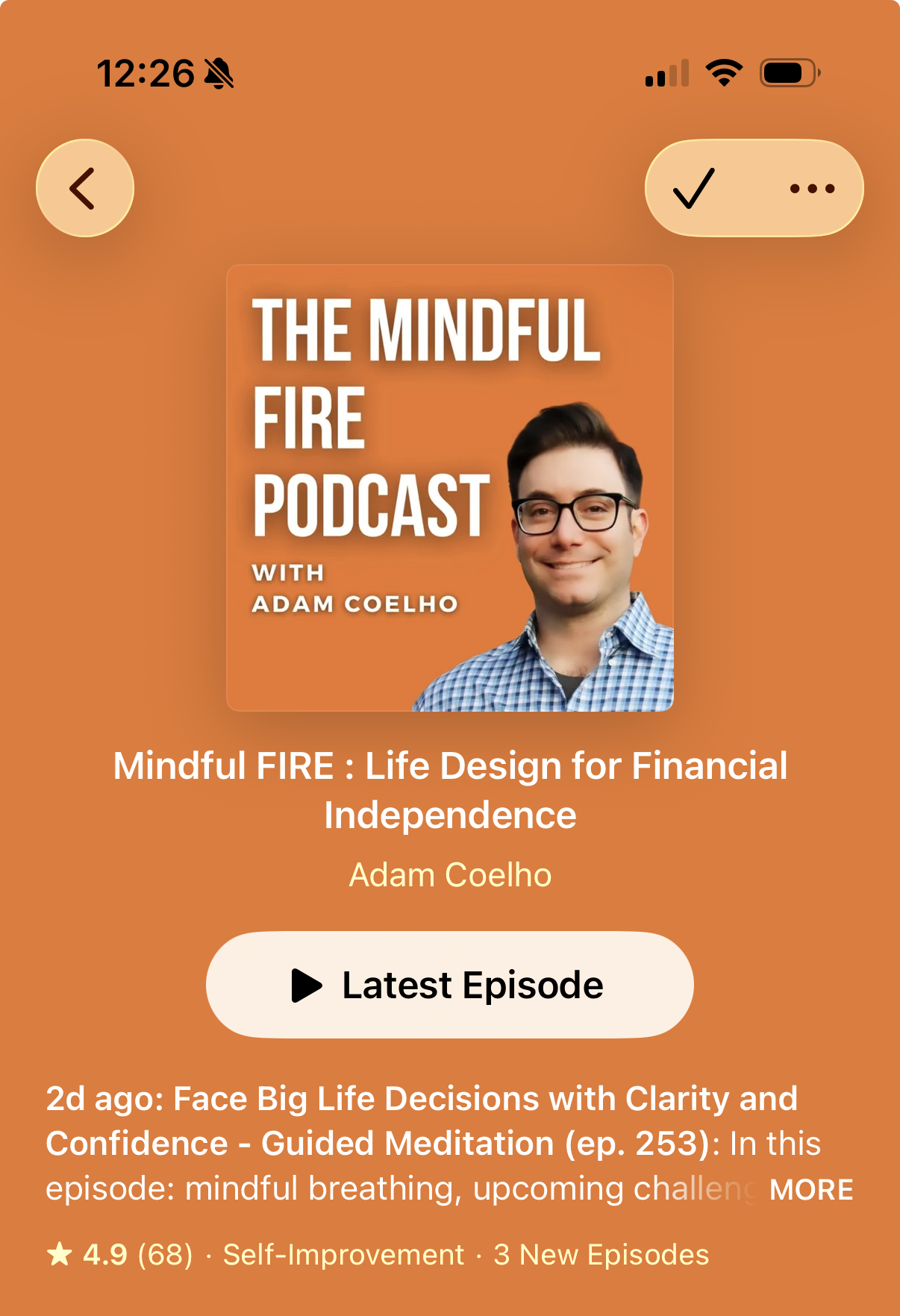
Open the link above in the Apple Podcasts app. Look for Adam Coelho and the orange cover, then scroll down past the episodes.
Step 2
Tap five stars, then Write a Review
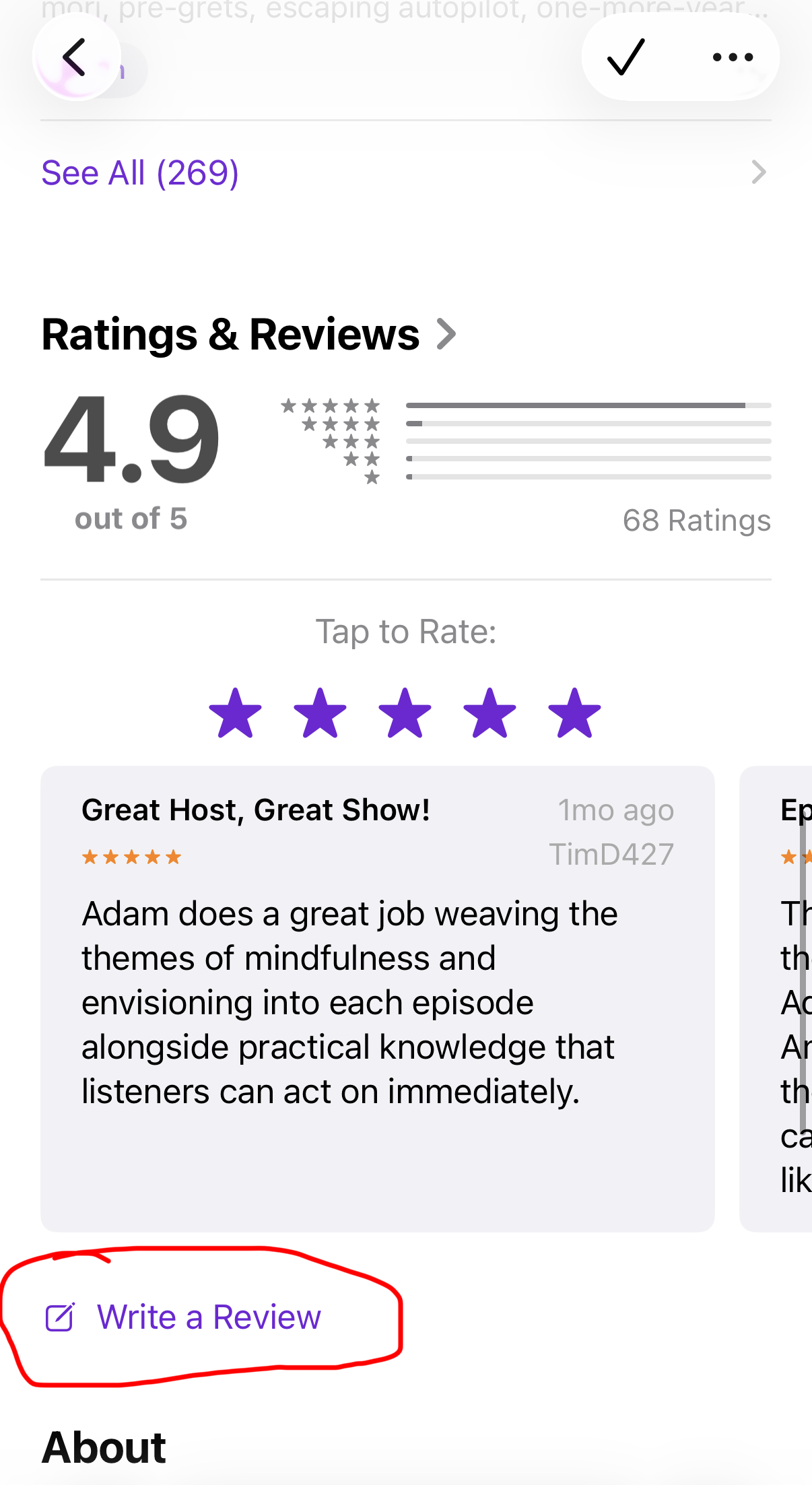
Find Ratings & Reviews. Tap the fifth star under “Tap to Rate” for a 5-star rating. Then tap Write a Review, circled below.
Step 3
Write a short review and send
Choose five stars in the review form, add a title and a sentence or two in your own words, then tap the purple up-arrow in the top-right corner to submit.
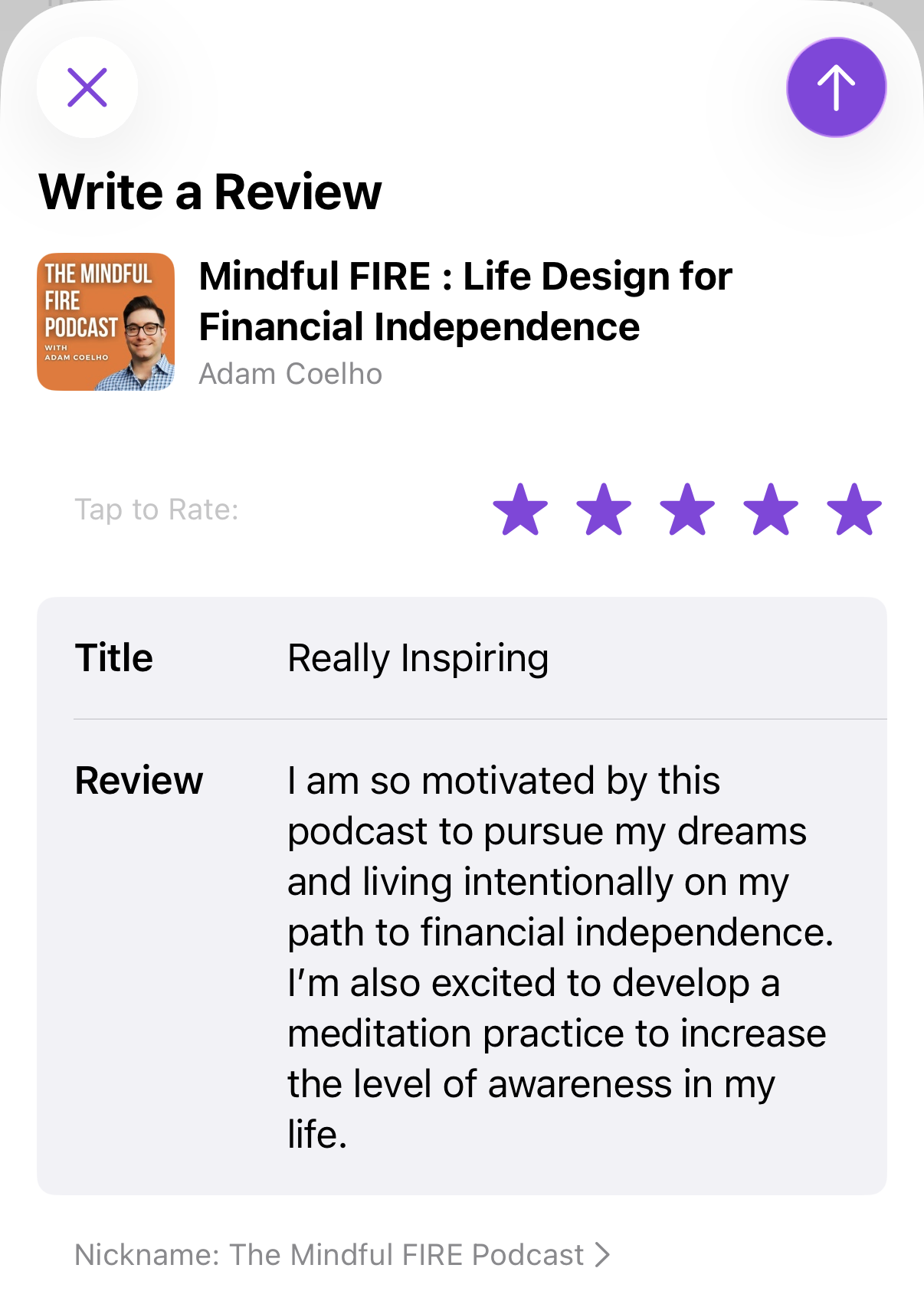
Tell us about a favorite episode, a meditation that helped, or one idea you’ve put into practice. Keep it personal and honest.
On a Mac, use the Podcasts app and click Write a Review, then Submit. Sign in to your Apple Account if prompted. Reviews may take time to appear.
Five stars. No written review needed.
Leave a 5-star rating on Spotify
Enjoying Mindful FIRE? Please leave a 5-star rating on Spotify. The desktop steps are pictured below. Sign in to the account you use to listen; Spotify requires you to have listened to the show before rating it.
-
Open Mindful FIRE
Open the show on Spotify in your desktop browser or the Spotify app. Look for Adam Coelho and the orange cover.
Open the show on Spotify ↗ -
Click the three dots, then Rate show
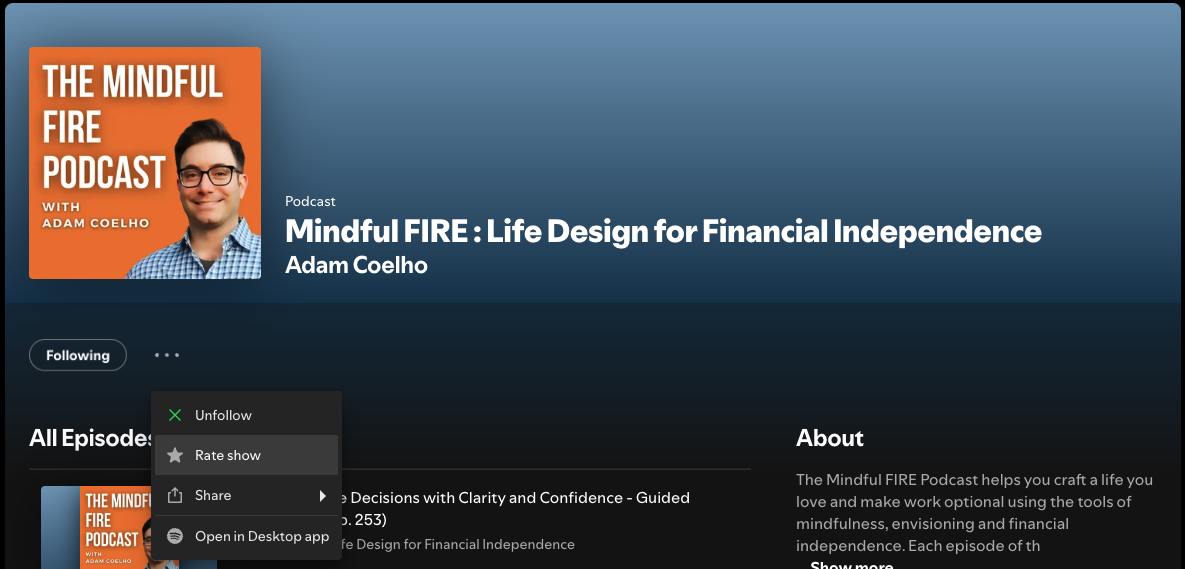
On desktop, click the three-dot menu (…) beside Follow / Following. Choose Rate show from the menu.
-
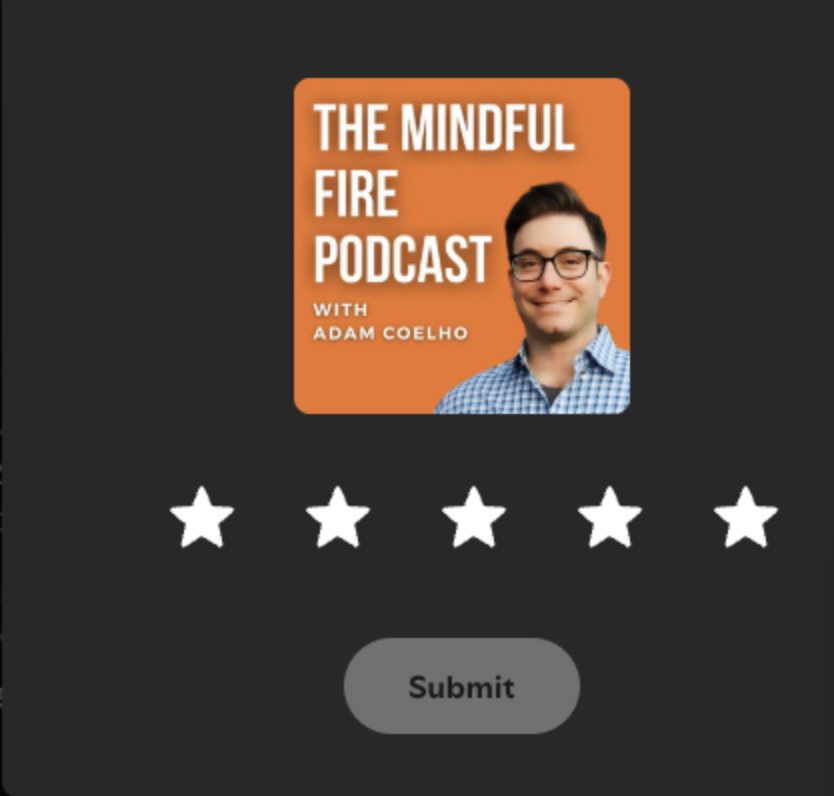
Select five stars and Submit
In the Rate podcast window, click the fifth star to select a 5-star rating, then click Submit. That’s it—there’s no written show review to complete.
Listen to Mindful FIRE episodes while signed in to Spotify, then come back and try again. Listening in another podcast app won’t count toward Spotify’s requirement.
On your phone
Rate in the Spotify mobile app
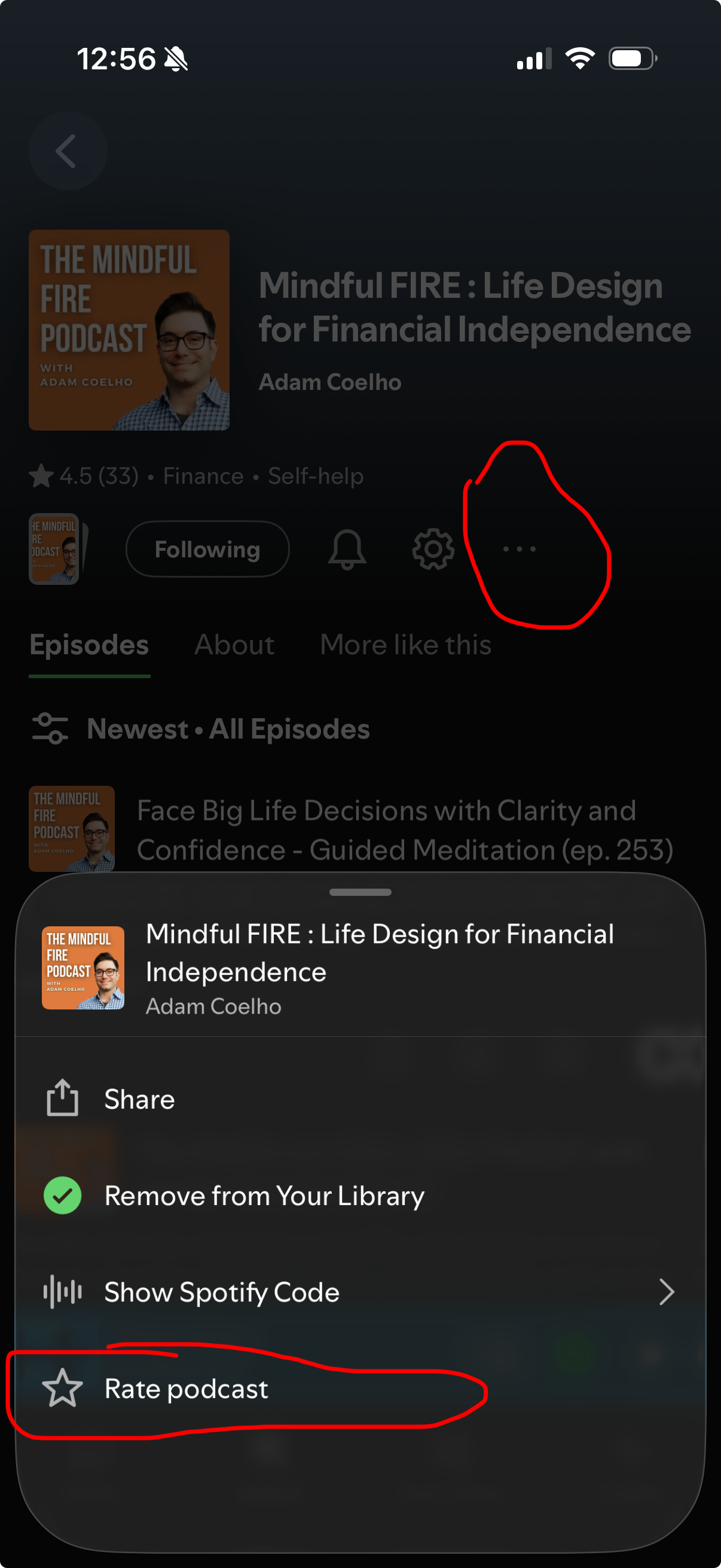
Open Mindful FIRE in the Spotify app, then follow these steps:
- Tap the three dots (…) on the show page, circled in the screenshot.
- Tap Rate podcast at the bottom of the menu.
- Choose five stars, then tap Submit.
The red circles highlight the menu button and rating option. Spotify only needs a star rating—no written review.
A few common questions
Need a hand?
I can’t find “Write a Review” on Apple Podcasts.
Open the show in the Apple Podcasts app, sign in to your Apple Account, and scroll to Ratings & Reviews. Make sure you’re viewing the show—not a single episode.
I use Android. What’s the easiest option?
Use Spotify and follow the guide above. If you have a Mac, you can also leave a written review in its Podcasts app.
I already left an Apple Podcasts review.
Thank you! Apple allows one review per show. Tap Write a Review again if you’d like to update yours.
Can I leave feedback on both?
Absolutely! If you use both Apple Podcasts and Spotify and want to support the show, it would be awesome if you could leave feedback on both. Leave a 5-star rating and a short written review on Apple Podcasts, and a 5-star rating on Spotify. Thank you for the extra support!
Thank you for being here.
Whether you’ve listened to one episode or joined me for years, I appreciate you being part of Mindful FIRE. Thanks for helping more people start living a life they love—along the way, not just someday.